Spec Audit
Spec Audit is an automated spec-to-drawings coordination check for the construction-documents phase. It reads your project specifications and checks that the drawings reflect what the specs require - flagging where a specified product, requirement, or section isn't carried through to the sheets.
Use case: confirm the drawings actually show the fixtures, ratings, and assemblies the project manual calls for, before the set goes out.
Running an audit
There are two ways in.
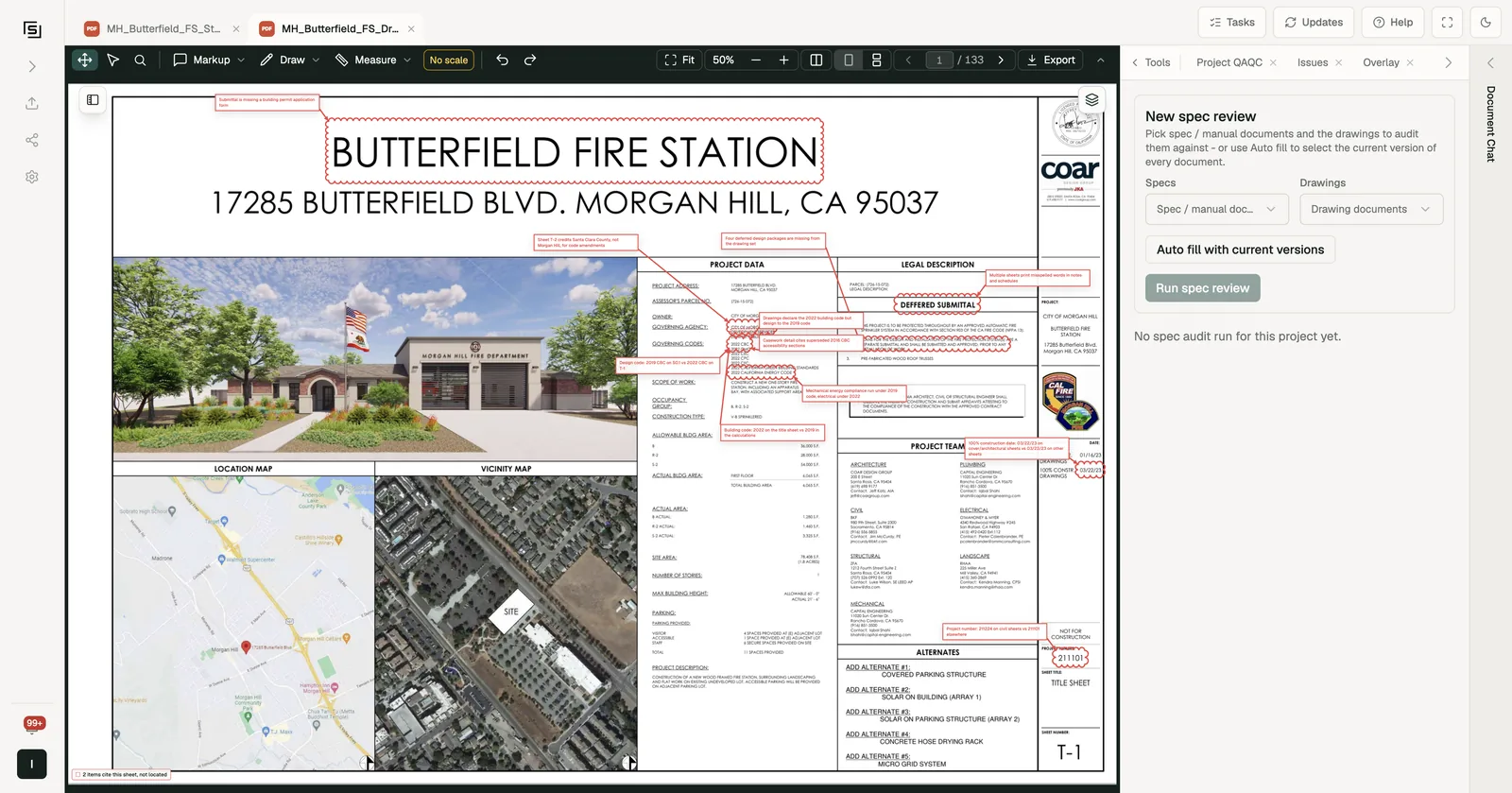
From the Spec Audit tool
- In a project, open Spec Audit from the Tools panel (under Audit).
- Under New spec review, pick the Specs (spec or manual documents) and the Drawings to audit them against. Or press Auto fill with current versions to select the current version of every document.
- Press Run spec review. It works in the background while you keep reviewing.
A spec can also come from your code library: those documents are marked from Codes in the picker.
As part of a wider review
In Project QAQC, the Pick it myself tab has a Spec audit section. It suggests spec and drawing pairs for you, and you can add your own: pick a spec and audit it against all current drawings or one discipline's drawings. It runs alongside the checklists and codes you ticked.
While it runs
- If the documents are still being read, the run shows Queued - waiting for document extraction and starts on its own.
- A running audit shows its progress and a rough time remaining.
- When it finishes, the run shows its findings count and a breakdown by severity and category.
- The run also tells you when coverage was incomplete: spec sections that had no matching sheets, sections that couldn't be analysed, or documents skipped because they couldn't be read. So a short findings list never hides a gap.
You can delete a run you no longer need.
Reviewing findings
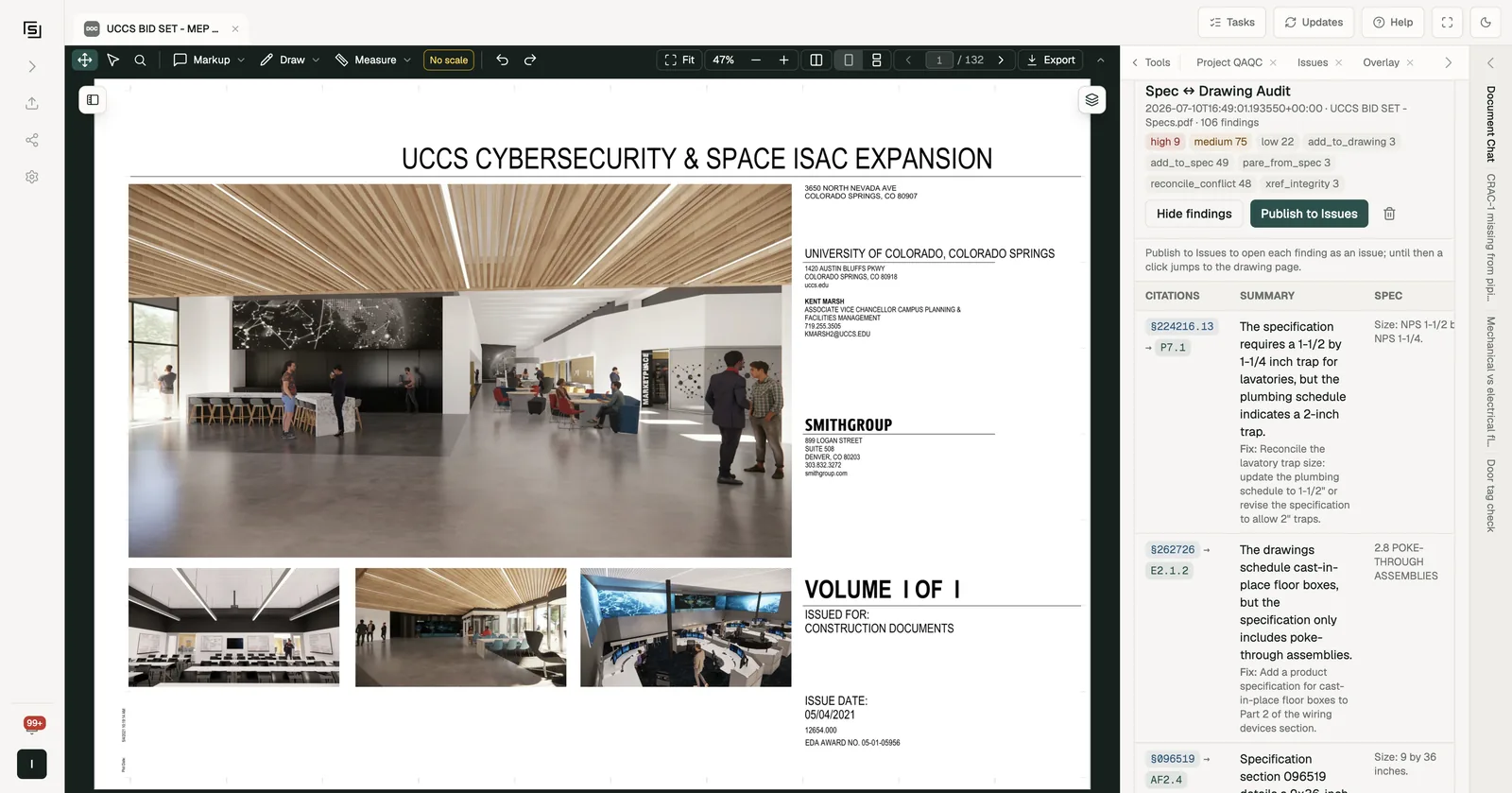
Press View findings to see the table: citations, summary, the spec text, what the drawing shows, severity, and category, with a suggested Fix where there is one.
Every finding cites the spec passage, and almost every one also cites the spot on the drawing, so you can see the requirement and the drawing together in one click. Some findings are contradictions inside the spec itself - those cite the spec only.
Publishing to Issues
- From the Spec Audit tool, the audit publishes its findings to Issues by itself when it finishes. Publish to Issues stays on every completed run: on an audit that published itself, pressing it tells you the findings are already published to the Issues tab. Audits started from the tool before automatic publishing was introduced are not published until you press it. Until a run is published, clicking a finding jumps to the drawing page. After publishing, it opens the issue.
- From Project QAQC, the audit publishes its findings to Issues by itself when it finishes. There's nothing else to press.
Either way, publishing the same run twice is safe - it never duplicates the issues. Findings are triaged like any other, and appear in Issues & Comments under the Spec Audit source.
Spec Audit is aimed at the construction-documents phase, where a complete spec manual and a matching drawing set exist to coordinate against.